Terraria Server Hosting On the Decentralized Cloud
One World. Always Awake.
Deploy a Terraria dedicated server on the Flux decentralized cloud. Runs TShock, so you get plugins, real admin commands and a live player list, kept matched to the current PC release. No player caps, automatic world backups, and a save replicated across independent nodes. From $1.49/month.
Manage Everything From One Dashboard
Full control of your Terraria server from the browser: settings, world files, plugins, files and backups. No Linux, no SSH.
Overview
address, live CPU, RAM and disk, and the build it is running

Deployment settings
World size, difficulty, evil and seed chosen at deploy, then the world file, TShock settings and the plugin folder — every value the server reads, editable from the browser.
Plugins, drag and drop
Drop a TShock plugin into ServerPlugins from the browser and restart — it lives on your volume, and your players install nothing.

Live status
Whether the server is up, how much CPU, RAM and disk it is using, who is connected right now, and which build it is running.

Choose your location
Place the world in any of 50+ countries, and see which of them have room for it right now.
Scale hardware
Add RAM and cores when a big world or a full server outgrows its plan — priced and applied without redeploying.
Live console
A real terminal into the container: run commands and watch the server log as it happens.

File manager
Browse, edit, upload and download the world folder straight from the browser.
Backup & restore
Your own backups alongside the hourly world archives the server writes itself — restore either in a click.
What is Terraria?
A 2D sandbox you dig, build and fight your way through together — and a world that keeps existing after everyone logs off.
Terraria starts you on the surface with a copper axe and a world that goes all the way down. You mine, you build somewhere to survive the night, and every layer you reach hands you the materials for the one below it — down through stone and marble and lava to the underworld, and up to islands floating above the clouds. Progress is not a level number: it is the shaft you sank, the base you raised and the boss you were finally equipped to beat.
That is exactly why the server matters more than the client. A world hosted from one player’s own game only exists while that player is in it, so everyone else’s progress waits on their schedule. A dedicated server keeps the world awake on its own: your base stands, your NPCs stay housed, the tunnels you dug stay dug, and anyone in the group can log in at three in the morning without asking whoever happens to own the save.
TShock Plugins
Every server runs TShock, the platform the Terraria server community actually builds on. Drop plugin .dll files into the plugin folder from the panel and restart. The folder is on your own volume, so what you install survives a restart — which is not true of a stock TShock container.
No Player Cap
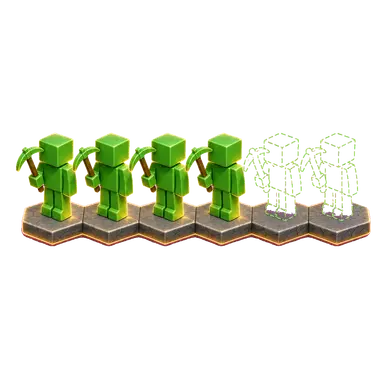
Bring as many friends as your world can carry. Every server launches with Terraria's own maximum of 255 players, so we never cap it — plans are sized by RAM and CPU, and the ~8, ~16 and ~32 beside them are what each one runs comfortably, not a gate.
See Who Is Online
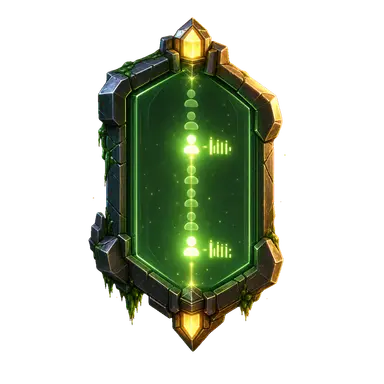
TShock's status API is switched on for you, so the dashboard shows the live player count and who is connected, by name. Most panels for most games cannot do this; they show a number scraped out of a log, or nothing at all.
Backups You Can Reach
TShock writes a rolling backup of the world on an interval you set, and the platform takes hourly archives on top. Both sit on your volume, browsable and downloadable from the panel — a Terraria world is one .wld file, so taking it with you is trivial.
Bring Your Own World
Upload an existing .wld from single-player or another host and carry on where you left off — it keeps its own size, difficulty and evil. No conversion, no import step, no world identity bound to the provider.
Deploy, Don't Build
No VPS, no TShock install, no port forwarding. Pick a size, pick a region, and the world generates itself while you watch the progress. From $1.49 a month.
Simple, Transparent Pricing
Choose the perfect plan for your needs. Deploy in minutes.
1GB - ~8 players
2GB - ~16 players
4GB - ~32 players
*The first week is free for customers new to Flux Cloud: one free week per account, not per app or per server. It takes no card and ends on its own after 7 days unless you choose to keep the server. If you've deployed any app on Flux before, standard pricing applies. Our 30-day money-back guarantee covers your first paid month, whether or not you took the free week first.
The player numbers above are sizing guidance, not limits. We don’t sell player slots and we don’t cap your server: it launches with Terraria’s own maximum of 255 players. What each tier really buys is headroom — CPU, memory and disk. World size, difficulty (Journey included), evil and seed are yours to choose at deploy on every plan. Size by the group you actually play with, and remember plugins cost more memory than extra players do.
Why Run Terraria on Flux
Running your own Terraria server gives you the whole world: your rules, your plugins, your builds and your save. Flux removes the part nobody enjoys: the TShock install, the backup scripts, the port and the restarts. You get a dedicated server whose world is mirrored across independent nodes, so the failure that ends most self-hosted worlds is not one disk away.
Own your world
A Terraria world is a single .wld file, and it sits on your server volume where you can browse and download it at any time. No database, no licence key, no account binding — moving to another host is copying one file.
No player cap
Your server launches with Terraria’s own maximum of 255 players — we do not sell slots and we do not enforce the number on your plan. The tier decides how much CPU and memory you get, not who is allowed in; the world size is yours to pick at deploy on every plan.
Zero server admin
Get the control of self-hosting without the maintenance. No TShock install, no service unit to write, no ports to forward, no scramble after every game patch — the official TShock image keeps your server matched to the current PC release.
Predictable, low cost
Flat monthly pricing from $1.49/month with hourly world backups included rather than sold as an add-on. No contract, and your world file stays portable.
How It Works
From sign-up to a world your friends can join, in three steps, with no TShock install to do, no service unit to write, no port to forward.
Create an account & pick a plan
Sign up in seconds with Google or email, choose a 1GB, 2GB or 4GB plan (about 8, 16 or 32 players), and select a server region close to you. Your first week is free.
Deploy a Terraria server in minutes
Pick your world size, difficulty (Journey included), evil and seed, click deploy, and we provision a dedicated Terraria server on the Flux decentralized cloud — official TShock image on the current PC version, the game port and the status API published, and your world generated while you watch.
Claim it, build, and stay up
Claim admin with the setup code shown in your dashboard, share the address, and start digging. Upload plugins from the panel whenever you want them, and the world keeps running when you log off.
Why Choose Us
Your server runs on Flux, a decentralized cloud spread across thousands of independent nodes. That means no single point of failure, DDoS protection and 99.9% uptime on every plan, a node near your players, and a world save replicated across machines instead of sitting on one disk in one rack.
Instant Deployment
Your world generates and the server is accepting players in minutes, not after an afternoon of setup.
DDoS Protection
Built into the Flux network rather than sold as a tier above the one you bought.

Global Server Network
Independent nodes in more than 50 countries. Pick the region closest to your group at deploy.
24/7 Monitoring
CPU, memory and disk from the node itself, alongside a live player list from the server.
Pay by Card or Crypto
Card or USDC through Stripe, or FLUX from a wallet. Monthly, with no contract to exit.

99.9% Uptime
Decentralized infrastructure with no single machine to take your world down with it.

Backups Included
Hourly world archives on every tier, including the $1.49 one. Not an add-on.
Decentralized Infrastructure
Your world volume is replicated across the independent nodes your app runs on, not left on one disk.
Terraria on Flux vs Other Hosts
Every Terraria host will sell you slots. We do not sell them at all — and the count is genuinely the easy part. What decides whether your world survives its first year is further down the list: whether you get TShock at all, whether the plugins you install are still there after a restart, how many machines your world file lives on, and whether anything can tell you who is actually playing.
| Feature | Terraria on Flux | Typical Terraria host |
|---|---|---|
| Server platform | Official TShock image on every plan, kept on the current PC version | Varies by host — some ship vanilla only |
| Plugins | Folder on your own volume, so uploads survive a restart | Worth testing — a stock container resets the folder |
| Live player list | Names and counts in the dashboard, from the status API | Usually a bare number, often nothing |
| World backups | TShock's own rolling backup, plus hourly archives kept three days | Varies by host — worth checking the retention |
| Where your world lives | Replicated across independent nodes | One machine, in one data centre |
| Commitment | $1.49/mo, billed monthly, no contract | Best rates often need an annual term |
Global Server Network
Your server runs on a decentralized network of 6,845 servers across 58 countries
 Germany1,538
 United States1,160
 Finland1,019
 France720
 Canada389
 Denmark366
 Poland223
 Russia207
 United Kingdom126
 Norway86
 Ukraine71
 Spain66
 Japan55
 Latvia47
 Australia45
 Singapore44
 Romania41
 Chile41
 Sweden40
 Switzerland39
 Italy31
 Portugal26
 Bulgaria21
 Slovakia21
 United Arab Emirates20
 Hungary17
 South Africa16
 Argentina15
 Belgium11
 Malaysia10
 Hong Kong8
 Estonia8
 Israel8
 Vietnam6
 Ireland6
 Luxembourg6
 Brazil6
 Lithuania5
 Greece4
 Moldova4
 Mexico3
 Slovenia3
 Austria3Germany1,538United States1,160Finland1,019France720Canada389Denmark366Poland223Russia207United Kingdom126Norway86Ukraine71Spain66Japan55Latvia47Australia45Singapore44Romania41Chile41Sweden40Switzerland39Italy31Portugal26Bulgaria21Slovakia21United Arab Emirates20Hungary17South Africa16Argentina15Belgium11Malaysia10Hong Kong8Estonia8Israel8Vietnam6Ireland6Luxembourg6Brazil6Lithuania5Greece4Moldova4Mexico3Slovenia3Austria3
Learn More About Hosting Terraria
New to running your own world? These guides cover TShock, hardware, plugins and the single port a Terraria server needs, and how managed hosting compares with building it on a VPS.

Frequently Asked Questions
Everything you need to know about our hosting service
Still have questions?
Join our Discord community →